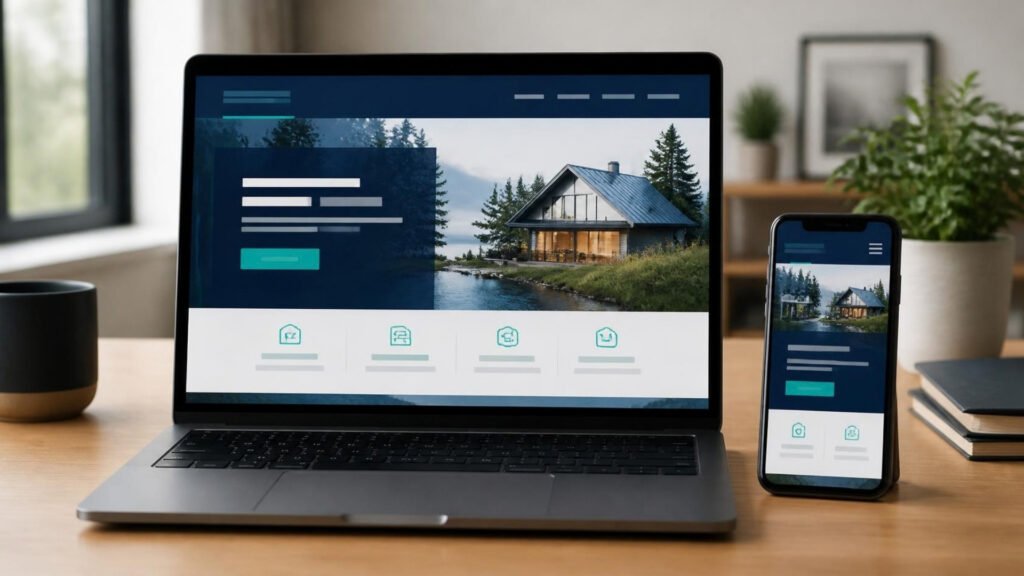
The short answer: you can build a solid small business website yourself if you keep it simple. Register a domain in your business’s name, pick a host, choose either a drag-and-drop builder or WordPress, and create four core pages: home, services, about and contact. Write each page so it answers a customer’s question in the first sentence, use real photos, check it on your phone, and connect it to Google Search Console and your Google Business Profile. Plan on a few weekends, not a few hours.
Before you start: a quick checklist
- Your business name exactly as it appears on your license and Google Business Profile.
- A business email address and a phone number you answer.
- A list of the services you actually sell and the towns or areas you serve.
- Your logo, if you have one, and 10 to 20 real photos of your work, team or location.
- The questions customers ask you most often. These become your page copy.
- A password manager and two-step verification turned on for every account you create.
How do you choose a domain name?
Choose a short .com that matches your business name or describes what you do, and register it in your own name with your own login. That last part matters most. If a friend or vendor registers it for you under their account, you may not truly own it.
- Keep it easy to say out loud and spell over the phone.
- Turn on auto-renew so it never lapses by accident.
Should you use a website builder or WordPress?
A drag-and-drop builder is the easier start, and WordPress is the more flexible one. If you want something simple that you can launch quickly and rarely touch, a builder is fine. If you expect to add a blog, more service pages, booking tools or an online store later, WordPress gives you more room to grow and is easier to hand to a professional down the road.
- Website builder: fewer decisions, hosting is included, but less control over layout, speed and SEO settings.
- WordPress: more control and far more add-ons, but you are responsible for updates, backups and security.
How do you set up hosting and install your site on Hostinger?
Hosting is the service that keeps your website online. Hostinger is the hosting option we use, and its control panel (called hPanel) lets you start either with its AI website builder or with WordPress. We’re a Hostinger affiliate and may earn a commission if you sign up through our link, at no extra cost to you. Hostinger’s menu names have changed over time, so a button may be labeled slightly differently in your account (for example, Create website or Add website).
To start with WordPress on an existing hosting plan, Hostinger’s help center describes these steps:
- Make sure your domain is pointed to Hostinger and added to your hosting plan.
- In hPanel, go to Websites, then Dashboard, and select your website.
- Click Auto Installer in the left sidebar and select WordPress.
- Enter a website title, an administrator email address, a unique administrator username and a strong password.
- Click Next, then choose the WordPress version (the latest is recommended), your language and the update schedule.
- Click Install, wait a few minutes, clear your browser cache and visit your site.
If you would rather use the builder, go to Websites, choose the option to create a website and select the AI Builder. Hostinger offers a manual mode, where AI drafts a layout you then edit by dragging and dropping, and a chat-based mode where you describe changes.
Official help: How to install WordPress using Auto Installer in Hostinger
What pages should a small business website have?
Start with four: home, services, about and contact. That covers what nearly every customer needs to decide whether to call you. Add a separate page for each major service once the basics are live, because a page about one service in one area is easier for customers and search engines to match than one page that lists everything.
Home
Say what you do, who you do it for and where, in one plain sentence near the top. For example: “We clean homes and offices in Florence, Union and Burlington, KY.” Follow it with your phone number, a clear button to get a quote or book, and a short list of your main services.
Services
Open each service with a direct answer: what it is, who it is for and what the customer gets. Then cover what is included, how the process works and the questions people ask before they buy.
About
Answer “why should I trust you?” in the first two sentences. Who owns the business, how long you have been doing this work and what you care about.
Contact
Put your phone number, email, service area or address, hours and a short form on one page. Keep the form short.
What about photos?
Use real photos of your work, your team and your vehicles or storefront whenever you can. Stock photos make a local business look like every other business. Before uploading, resize large photos so they are not much wider than they will appear on screen, and give each one a short description (the alt text) that says what it shows.
How do you check that the site works on phones?
Open every page on your own phone before you call the site finished. Many visitors will find you on a phone.
- Can you tap the phone number to call?
- Is the text readable without zooming?
- Does the contact form submit, and does the message actually reach you?
- Do photos load quickly on cellular data, not just Wi-Fi?
What basic SEO should you set up?
Give every page a unique title and description, connect your site to Google Search Console, and link it from your Google Business Profile. Those three steps help Google understand your site and let you see how people find it. No one can guarantee rankings, but skipping these makes it much harder to be found.
- Page titles: name the service and the area, such as “House Cleaning in Florence, KY | Your Business Name.”
- Descriptions: one or two sentences that tell searchers what they will find and why to click.
Add your site to Google Search Console
- Open Google Search Console and sign in with your business Google account.
- Open the property selector and choose Add property.
- Choose a Domain property (your whole domain) or a URL-prefix property (one exact web address).
- Pick a verification method. A Domain property requires a DNS record added where your domain is managed. A URL-prefix property offers other options, such as an HTML tag or file.
- Verify now or choose to verify later. Data usually starts to appear within a few days.
Official help: Add a website or platform property to Search Console
Create or claim your Google Business Profile
- If you have no profile yet, go to business.google.com/add and choose to add your business.
- Enter your business details as prompted, using the same name, phone number and website you use everywhere else.
- If a profile already exists, find your business in Google Maps and choose the option to claim it.
- Choose a verification method and complete the steps Google gives you.
- Once verified, add your website address, hours, services and photos.
Official help: Add or claim your Business Profile
How do you keep the site fast?
Keep it light. Most slow small business sites are slow because of oversized photos, too many add-ons or heavy sliders and videos at the top of the page.
- Resize and compress photos before uploading them.
- On WordPress, install only the plugins you truly need and delete the ones you do not use.
- Test key pages with a free tool such as Google PageSpeed Insights and fix the biggest issue it lists first.
Which legal pages do you need?
At a minimum, add a privacy policy, especially if you have a contact form, analytics or ads tracking. Requirements depend on your industry and where your customers live, so if you collect sensitive information, take payments or work in a regulated field, have an attorney review them. A template is a starting point, not legal advice.
Common mistakes
- Registering the domain in someone else’s account. Keep ownership of your domain, hosting and Google accounts. If you later hire help, invite them as a user. Our guide on how to give your agency access without sharing passwords explains how.
- Leaving template text live. Placeholder copy and demo photos tell visitors no one is minding the site.
- Writing about yourself instead of the customer. Lead with what you do for them and where.
- No clear next step. Every page should make it obvious how to call, book or request a quote.
- Never updating it. WordPress sites need regular updates and backups, and old hours or prices cost you calls.
When does doing it yourself stop making sense?
DIY stops making sense when the site is costing you more in time or missed customers than a professional build would. Signs it is time to bring in help:
- You have spent weeks on it and it is still not live.
- You need more than a handful of pages, booking, payments or an online store.
- The site is live but phone calls and quote requests are not coming from it.
If you are weighing the options, our guide to how much a website costs breaks down DIY, freelancer and agency pricing. Our own Starter Site is $2,900 for up to 5 pages, with payment plans, and you own the site once it is paid. If you build it yourself and just want someone to keep it updated, backed up and secure, our website maintenance care plans start at $129 a month.
Frequently asked questions
Is WordPress or a website builder better for a small business?
A builder is easier for a small, simple site. WordPress is better if you plan to grow, add many service pages or hand the site to a professional later. Both can work well.
Which hosting do you recommend?
We use Hostinger. It offers both a builder and one-click WordPress from the same dashboard, which makes it a practical choice for a first site.
Will my new website show up on Google?
Connecting Search Console and your Google Business Profile helps Google find and understand it, but no one can guarantee rankings. Clear, specific pages about your services and area give you the best chance.
Can I hire someone to finish a site I started?
Yes, and it is common. Invite them as a user on your hosting and website rather than sharing your password, so you keep ownership the whole time.
Would you rather spend your weekends running your business? See our website design services or book a free strategy call and we will tell you honestly whether DIY or a professional build makes more sense for you.